

I. Introduction: The Alphabet Soup of Data Infrastructure
In the modern digital marketing stack, few areas generate as much confusion as the relationship between Google’s core tracking technologies. It is a common scenario in boardrooms and marketing ops meetings. A new campaign is launching. A pixel needs to be placed. A stakeholder asks, “Is this tracked in Google Analytics?” Another asks, “Did we deploy it via Google Tag Manager?” A developer asks, “Do we have the global site tag installed?”
Suddenly, the conversation stalls.
The terms Google Analytics 4 (GA4), Google Tag Manager (GTM), and gtag.js (The Global Site Tag) are often used interchangeably by non-technical teams. Marketing directors treat them as synonyms for “tracking.” This conflation is a dangerous strategic error.
While these three components are part of the same ecosystem, they serve fundamentally different functions. Confusing them is not just a semantic mistake. It leads to architectural fragility.
When you do not understand the distinct role of each tool, you build what engineers call “spaghetti code.” You end up with hardcoded marketing tags scattered randomly across your website templates. You create dependencies on IT for simple marketing tasks. You lose data visibility because your deployment method (GTM) is fighting with your hardcoded libraries (gtag.js).
The cost of this confusion is agility.
In a properly architected environment, your marketing team should have the autonomy to launch campaigns, track conversions, and test new tools without waiting for a three-week engineering sprint. Achieving this state requires clarity on your infrastructure.
The Three Pillars of the Google Stack
To navigate this ecosystem, you must stop viewing these as “tools” and start viewing them as infrastructure layers.
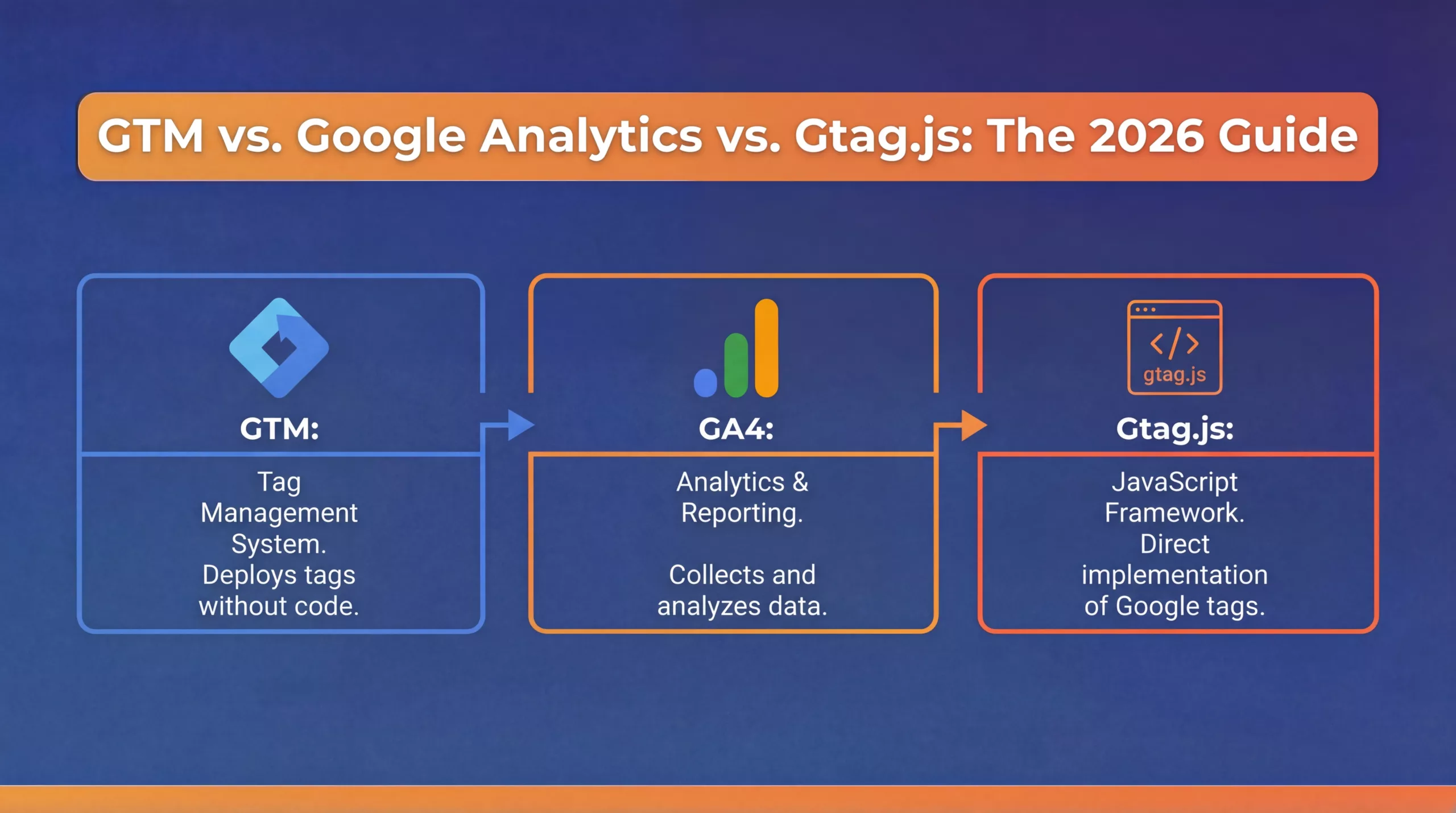
- The Destination (GA4): This is where data goes to be analyzed. It is the reporting engine. It answers the question, “What happened?”
- The Delivery System (GTM): This is the management container. It is the logistics layer that controls how and when data is sent. It answers the question, “How do we deploy this?”
- The Language (gtag.js): This is the underlying code library. It is the raw syntax that browsers read to execute the tracking. It answers the question, “What language are we speaking?”
Moving From Implementation to Strategy
This guide is not a simple glossary. It is a strategic breakdown of your data collection architecture. We will dismantle the “Alphabet Soup.” We will explain the technical nuances of each component, not for the sake of trivia, but to help you make better architectural decisions.
We will explore why enterprise organizations almost universally prefer a Tag Management System over hardcoding. We will look at how these three elements interact during a live user session. We will provide the blueprint for a clean, scalable setup that separates marketing logic from website code.
By the end of this guide, you will no longer view these as confusing acronyms. You will see them as the building blocks of a competitive data advantage. You will have the knowledge to audit your current setup, identify redundancies, and transition to a modern, governed tracking infrastructure.
Okay, Patrick here. Let’s define the first pillar. We need to strip away the “marketing suite” buzzwords and look at Google Analytics 4 (GA4) purely as a piece of data infrastructure.
In this ecosystem, GA4 is not the mechanism that captures the data. It is the warehouse where the data arrives, gets processed, and creates value.
II. Google Analytics 4 (GA4): The Destination and Processing Engine
To understand the architecture, we must first define the endpoint. Google Analytics 4 (GA4) is the system of record. In the flow of data from a user’s device to your dashboard, GA4 is the Destination.
It is common to hear stakeholders say, “We installed GA4, so we are tracking everything.” This is a technical inaccuracy. GA4 does not magically “see” what users do on your website. It waits for signals to be sent to it.
Its primary function is not collection. Its function is ingestion, processing, and reporting.
The Event-Based Database
Strategically, you should view GA4 as a flexible database built on an event-based schema. Unlike its predecessor, Universal Analytics, which forced data into rigid categories like “Category, Action, Label,” GA4 uses a flat structure.
It receives data packets called Events.
An event is simply a signal that says “something happened.” Along with that signal, it receives Event Parameters. These are the details describing the action.
- Event Name: file_download
- Parameter 1: file_name = q3_report.pdf
- Parameter 2: file_extension = pdf
- Parameter 3: link_text = Download Report
GA4’s role is to catch these packets. It then applies your configuration rules to them. It checks if an incoming event matches your definition of a “Conversion.” It checks if the User ID matches an existing profile. It checks if the user belongs to a specific Audience.
Configuration vs. Instrumentation
This distinction is vital for operations. Work done inside the GA4 interface is Configuration. Work done on the website is Instrumentation.
Inside GA4, you define the rules of business value. You tell the system how long to keep data. You define which events matter most. You connect the system to Google Ads so that audiences can flow between platforms.
However, GA4 relies entirely on the quality of the data fed into it. If your instrumentation layer sends garbage data, GA4 will process garbage data. It has no way to know if a purchase value is correct or if a button click is valid. It trusts the signal it receives.
The “Black Box” of Processing
Once data arrives in GA4, it enters a processing pipeline. This is where Google applies its machine learning and attribution logic.
- Identity Resolution: GA4 attempts to stitch the user journey together. It looks for a User ID. It looks for Google Signals (data from users logged into Chrome). It looks for Device IDs. It creates a unified view of a single user across sessions.
- Attribution: It calculates which marketing channels deserve credit for conversions based on the model you selected (e.g., Data-Driven Attribution).
- Modeling: If you have consent mode active and data gaps exist, GA4 uses behavioral modeling to estimate the actions of un-tracked users.
The Strategic Takeaway
You use GA4 to answer the “Why” and the “Where.” Why are users converting? Where is traffic coming from?
You do not use GA4 to control the mechanics of how that data is captured from the browser. While GA4 has a feature called “Enhanced Measurement” that can automatically track some basic interactions like scrolls and outbound clicks, relying on this for an enterprise setup is insufficient. It lacks granularity. It lacks control.
To control the how, to determine exactly when a tag fires, what data it collects, and what privacy rules it respects, you need a delivery system. You need a manager.
This brings us to the second pillar of the stack.

III. Google Tag Manager (GTM): The Delivery System and Logistics Layer
In the early days of digital marketing, tracking was a manual, code-heavy process. If a marketing team wanted to track a form submission on a landing page, they had to submit a ticket to the IT department. A developer had to open the source code of the page. They had to write a specific snippet of JavaScript. They had to test it. They had to deploy the entire website code to production.
This process took weeks. It created a massive bottleneck. Marketing teams missed campaign launch windows because they were waiting for a developer to paste a pixel.
Google Tag Manager (GTM) was built to solve this operational failure.
Strategically, GTM is a Tag Management System (TMS). It acts as a container. It is a piece of code you install on your website once. After that single installation, you never have to touch the website source code again to add tracking.
Instead of hardcoding tags directly onto the page, you manage them through the GTM interface. You inject marketing logic into the site dynamically.
The “Wallet” Analogy: Understanding the Architecture
To explain the relationship between GTM and the various tools it manages, visualize a physical wallet.
- Google Tag Manager is the Wallet. It is the container. You put it in your pocket (your website) one time. Ideally, you never need to replace it.
- The Tags are the Credit Cards. Your GA4 configuration tag, your Google Ads remarketing pixel, your LinkedIn Insight Tag, and your Meta Pixel are like credit cards.
If you switch banks or get a new credit card, you do not buy a new pair of pants. You simply open the wallet, remove the old card, and slide in the new one.
GTM works the same way. If you decide to switch from one analytics vendor to another, or if you need to add a new advertising pixel for a Q4 campaign, you do not ask your developers to change the website code. You log into GTM. You add the new Tag. You publish the container. The change happens instantly.
The Anatomy of GTM: Tags, Triggers, and Variables
GTM operates using three core components. Understanding these allows you to architect complex tracking setups without writing custom code.
1. Tags (The “What”)
A Tag is the snippet of code that sends data. It is the instruction. A tag tells the browser to “Send a Pageview to GA4” or “Send a Purchase Event to Facebook.” GTM has native templates for Google products and hundreds of third-party vendors. This ensures the code is formatted correctly without manual input.
2. Triggers (The “When”)
A Trigger is the rule that tells the Tag to fire. It listens to the website for specific interactions.
- Example: “Fire this tag when the URL contains /thank-you.”
- Example: “Fire this tag when the user clicks the button with ID ‘submit-form’.”
- Example: “Fire this tag when the user scrolls 50% down the page.”
3. Variables (The “Context”)
A Variable is a placeholder for dynamic values. It captures the specific details of the interaction.
- Example: When a user adds a product to the cart, the Trigger says “Fire the Add to Cart Tag.” The Variable captures the Product Name, Price, and SKU dynamically from the page and passes that data into the Tag. This allows you to write one single tag that handles every product on your site, rather than writing a unique tag for every item.
Governance and Security: The Enterprise Advantage
Beyond convenience, GTM provides a layer of security and governance that hardcoding lacks.
- Version Control: Every time you publish changes in GTM, it creates a numbered version. If a new tag breaks your reporting or conflicts with site functionality, you can “Rollback” to the previous version instantly. This safety net is critical for high-traffic enterprise sites.
- Workspaces: GTM allows multiple team members or agencies to work in the same container simultaneously without overwriting each other’s work.
- Preview Mode: You can test your tracking logic in a safe debug environment on your own browser before pushing it live to the public. You can verify that the data is correct before it ever pollutes your GA4 database.
The Separation of Concerns
The ultimate strategic value of GTM is the separation of concerns. It creates a clean divide between the Presentation Layer (the website code owned by Engineering) and the Data Collection Layer (the tracking logic owned by Marketing/Data).
Engineering ensures the site is fast and functional. Data teams ensure the measurement is accurate. GTM is the bridge that allows both teams to operate at maximum speed without blocking one another.
IV. Gtag.js: The Code Layer and The “Hardcoding” Debate
If you peel back the layers of the Google interface, you find gtag.js. This stands for the Global Site Tag. It is a JavaScript framework designed by Google to simplify tagging implementation for developers who prefer to work directly in the source code.
Before gtag.js existed, developers had to manage different libraries for different Google products. Google Analytics used analytics.js. Google Ads used conversion.js. This created code bloat.
Google released gtag.js to unify these libraries. It acts as a single API that can send data to both Google Analytics and Google Ads simultaneously. When a developer places the Global Site Tag on a page, they are installing a specific set of JavaScript instructions that tell the browser how to communicate with Google’s servers.
The “Hardcoding” Methodology
When a team chooses to use gtag.js without Google Tag Manager, they are choosing a Hardcoded Implementation.
In this scenario, the marketing team defines a requirement. For example, “Track clicks on the ‘Add to Cart’ button.” The engineering team takes that requirement. They write a specific gtag(‘event’, …) function. They paste that function directly into the HTML of the website button.
This method works. It is accurate. It is the standard way data is collected for millions of small websites. However, for an enterprise organization, hardcoding creates significant strategic debt.
The Limitations of Hardcoding (Gtag.js Only)
While gtag.js is powerful, relying on it exclusively introduces operational friction.
1. The “Spaghetti Code” Problem
As your tracking requirements grow, your website code becomes cluttered. You might have a Google Ads conversion snippet on one page, a GA4 event on another, and a custom remarketing script on a third. Over time, it becomes impossible to see the full picture of your tracking logic. It is buried inside thousands of lines of HTML. There is no central dashboard to audit what is tracking where.
2. Vendor Lock-in (The Third-Party Issue)
The Global Site Tag is designed for Google products. It works perfectly for GA4 and Google Ads. It does not natively support the Meta Pixel, LinkedIn Insight Tag, or TikTok Pixel.
If you rely solely on hardcoding, your developers must manually install separate code libraries for every non-Google vendor. This increases the weight of your pages. It slows down site performance. GTM, by contrast, handles these third-party tags efficiently through a single container.
3. Dependency on Release Cycles
This is the operational killer. If you hardcode your tags, every change to your tracking is a change to your codebase. If the marketing team wants to change the value of a conversion event, they must submit a ticket to engineering. That ticket goes into a backlog. It waits for the next two-week sprint. It requires QA testing.
This latency destroys marketing agility. By the time the tag is updated, the campaign might be over.
When Is Gtag.js the Right Choice?
Despite these limitations, there are specific scenarios where using gtag.js directly is the correct architectural decision.
- Single-Platform Simplicity: If you are a small business using only Google Analytics and you have no plans to run complex advertising or use third-party tools, the Global Site Tag is sufficient. It is lightweight and easy to deploy.
- Strict Developer Control: Some engineering teams demand absolute control over every line of JavaScript that executes on their site for security reasons. They may refuse to install a container like GTM because it allows non-developers to inject code. In this case, hardcoding is a security requirement.
- Non-Web Environments: While GTM works for mobile apps, there are specific edge cases or custom-built environments where a direct API call using the underlying libraries is more stable than a container-based approach.
The Relationship: GTM Uses Gtag.js
It is important to realize these are not mutually exclusive technologies. They are layers.
When you use Google Tag Manager to fire a GA4 tag, GTM is essentially writing and executing the necessary gtag commands for you in the background. GTM is the user interface. Gtag.js is the syntax.
You are choosing between writing that syntax manually (Hardcoding) or using a management platform to write it for you (GTM).
V. The Ecosystem: How They Work Together
The true power of the Google stack lies in the interaction between these three components. They do not operate in parallel. They operate in a sequence.
To illustrate this, let us trace the lifecycle of a single data point. Let us imagine a user clicking a “Submit Request” button on your B2B lead generation form.
Here is the chronological flow of that single action through the architecture.
Step 1: The User Interaction (The Browser Layer)
The user clicks the button. The browser registers this action. At this stage, it is just a DOM event. It is a piece of code executing on the client side. Without a listening mechanism, this event vanishes into the ether. It is not yet data. It is just activity.
Step 2: The Listener (The GTM Layer)
Your Google Tag Manager container is loaded on the page. It has a “Trigger” configured to listen for clicks on that specific button ID. GTM detects the click. It halts the process for a microsecond to evaluate its instructions.
It checks its list of Tags. It sees that you have a “GA4 Event Tag” configured to fire when this specific trigger occurs.
Step 3: The Translation (The Gtag.js Layer)
GTM executes the Tag. Behind the scenes, GTM constructs a data packet. It uses the syntax of gtag.js (or the Measurement Protocol) to format this packet.
It translates the button click into a structured language that Google servers understand. It attaches the necessary context, such as the Page URL, the Form ID, and the Session ID.
Step 4: The Transmission (The Network Layer)
The browser sends this packet out. If you were looking at the “Network” tab in your browser’s developer tools, you would see an HTTP request leaving your computer. This request is addressed to Google’s analytics servers.
This is the point of no return. The data has left your website.
Step 5: The Ingestion (The GA4 Layer)
Google Analytics 4 receives the packet. It enters the “Processing” pipeline we discussed in Section II. GA4 validates the data. It checks if the event name matches a conversion definition. It ties the event to the user’s history. Finally, minutes or hours later, that single button click appears as a “+1” in your “Conversions” report.
Visualizing the “Layered Cake” Architecture
To architect this correctly, you must view your stack as layers of dependency.
- Top Layer (Analytics & Ads): GA4, Google Ads, Meta, LinkedIn. These are the consumers of data. They rely on the layers below.
- Middle Layer (Management): Google Tag Manager. This is the control plane. It decides what data goes to the top layer.
- Bottom Layer (Code & Syntax): Gtag.js and HTML. This is the foundation. It provides the raw signals.
The Strategic Advantage of Separation
Why is this layered approach superior to a flat, hardcoded setup? The answer is Troubleshooting and Governance.
In a flat setup, if data is missing, you have to debug the entire website code. In a layered setup, you can isolate the failure.
- Scenario A: You see the tag fire in GTM’s “Preview Mode,” but no data appears in GA4.
- Diagnosis: The problem is in the Transmission or Ingestion layer. Maybe a firewall blocked the request. Maybe you have a filter in GA4 excluding internal traffic. You know the code on the site works.
- Scenario B: You click the button, but GTM shows no tag fired.
- Diagnosis: The problem is in the Listener layer. The Trigger logic is wrong. The button ID changed. You do not need to check GA4. You need to fix the GTM rule.
This isolation allows for rapid debugging. It reduces downtime. It creates a stable environment where marketing data is resilient against website code changes.
VI. Conclusion: Choosing the Right Architecture
The distinction between Google Analytics 4, Google Tag Manager, and gtag.js is not academic. It is operational.
Confusing these tools leads to a fragile infrastructure. We see it constantly in our audits. Marketing teams ask developers to hardcode pixels because they do not understand GTM. Developers strip out GTM containers because they fear it slows down the site. The result is a fractured data environment where no one trusts the numbers.
To build a scalable, enterprise-grade setup, you must respect the hierarchy.
- Use GA4 for analysis. It is your system of record. It tells you what happened.
- Use GTM for deployment. It is your logistics center. It gives you the agility to launch campaigns without waiting for code deployments.
- Understand gtag.js as the underlying syntax. It is the language your tools speak, but it is rarely the interface your marketing team should use directly.
The transition from hardcoded tags to a managed GTM container is a hallmark of digital maturity. It separates the concerns of site performance from the concerns of data collection. It creates a cleaner codebase. It creates a faster marketing team.
If your current setup relies on a maze of hardcoded scripts and you struggle to validate your data, you are operating with strategic debt. It is time to pay that debt down.
Is your tracking setup fragile?
Relying on hardcoded tags slows down your marketing team and endangers your data integrity. Contact e-CENS for a Tracking Infrastructure Audit. We help organizations migrate from chaotic code to a governed, scalable Google Tag Manager architecture.

Frequently Asked QuestionWhat is the difference between Google Analytics 4 (GA4), Google Tag Manager (GTM), and gtag.js?
Google Analytics 4 (GA4) is the data destination and reporting engine that processes and analyzes event data. Google Tag Manager (GTM) is the delivery system or container that manages how and when tracking tags fire on your website, enabling marketing teams to deploy tags without code changes. Gtag.js (Global Site Tag) is the underlying JavaScript framework or syntax used to send tracking data to Google’s servers, often implemented directly in the site code.
Why is it important to separate GA4, GTM, and gtag.js in a tracking setup?
Separating these components avoids building fragile, tangled (“spaghetti”) code. GA4 should be seen as the analytics database, GTM as the management layer controlling tag deployment, and gtag.js as the coding language. This separation improves agility, governance, debugging, and allows marketing teams to launch campaigns without waiting for engineering sprints.
How does Google Tag Manager improve marketing agility compared to hardcoding with gtag.js?
GTM lets you install one container snippet on your site and then add, update, or remove tags through its interface without touching site code. This eliminates delays caused by developer release cycles and reduces dependency on IT for marketing changes, enabling faster campaign launches and more flexible data collection.
What are the main components of Google Tag Manager and how do they work?
GTM consists of Tags (the code snippets that send data), Triggers (rules that determine when tags fire based on user interactions), and Variables (dynamic placeholders capturing contextual data). Together, they allow creation of complex tracking setups without manual coding for each event.
When should a company consider using gtag.js directly instead of GTM?
Using gtag.js directly is suitable for small businesses with simple tracking needs limited to Google products, for teams requiring strict developer control over every JavaScript line for security reasons, or in specific non-web or custom environments where direct API calls are more stable than container-based approaches.
How do GA4, GTM, and gtag.js interact during a user event such as a button click?
When a user clicks a button, GTM listens for that event via a configured trigger. GTM then fires the corresponding tag, which uses gtag.js syntax in the background to send a structured data packet to GA4. GA4 receives, processes, and attributes this event for reporting.
What operational challenges arise from relying solely on hardcoded tracking tags with gtag.js?
Hardcoding tracking leads to cluttered website code, difficulty auditing tag deployments, vendor lock-in to Google products, performance issues from multiple libraries for third-party pixels, and slow marketing agility due to dependence on developer release schedules for any tag changes.
How does GA4 process incoming event data and why is instrumentation important?
GA4 acts as an event-based database ingesting data packets called events with parameters describing user actions. It processes these events to perform identity resolution, attribution, and modeling. However, GA4 depends entirely on high-quality instrumentation—the data sent from the site—since it cannot verify the accuracy of events itself.
What are the advantages of using GTM for governance and troubleshooting in enterprise environments?
GTM provides version control with rollback capability, multiple workspaces for concurrent collaboration, and preview mode for safe testing before publishing. This structure enables faster debugging by isolating whether issues lie in tag deployment (GTM) or data ingestion (GA4), improving data reliability across high-traffic sites.
Why is migrating from hardcoded tags to a GTM-managed container considered a sign of digital maturity?
Transitioning to GTM separates data collection logic from website code, resulting in cleaner codebases, faster marketing responsiveness, easier auditing, and improved site performance. It reduces strategic debt by creating a scalable and governed tracking infrastructure that supports agile marketing operations.


