

For digital product teams racing to innovate and grow, the allure of vanity metrics can be dangerously distracting– numbers that look good on the surface but don’t truly reflect the health and success of your business.

Page views, total downloads, and even registered users can be misleading if you’re not looking at the why behind the numbers. Are users actually engaging with your product? Are they finding value? Are they coming back?
Traditional web analytics tools often fall short in answering these crucial questions. They tell you what is happening on your website, but they don’t provide deep insights into how users are interacting with your product’s core features. This is where product analytics, and specifically Amplitude, comes in.
Amplitude is a leading product analytics platform designed to help businesses understand user behavior, drive product-led growth, and make data-driven decisions. It goes beyond basic web analytics to provide a comprehensive view of how users are engaging with your digital product, empowering you to build better products, improve user experiences, and ultimately drive business outcomes.
This blog post will take a deep dive into Amplitude, exploring its core features, benefits, and how it can help your business focus on what truly matters: user engagement, retention, and long-term value.
1. Understanding the Core Concepts: Events, Properties, and Users
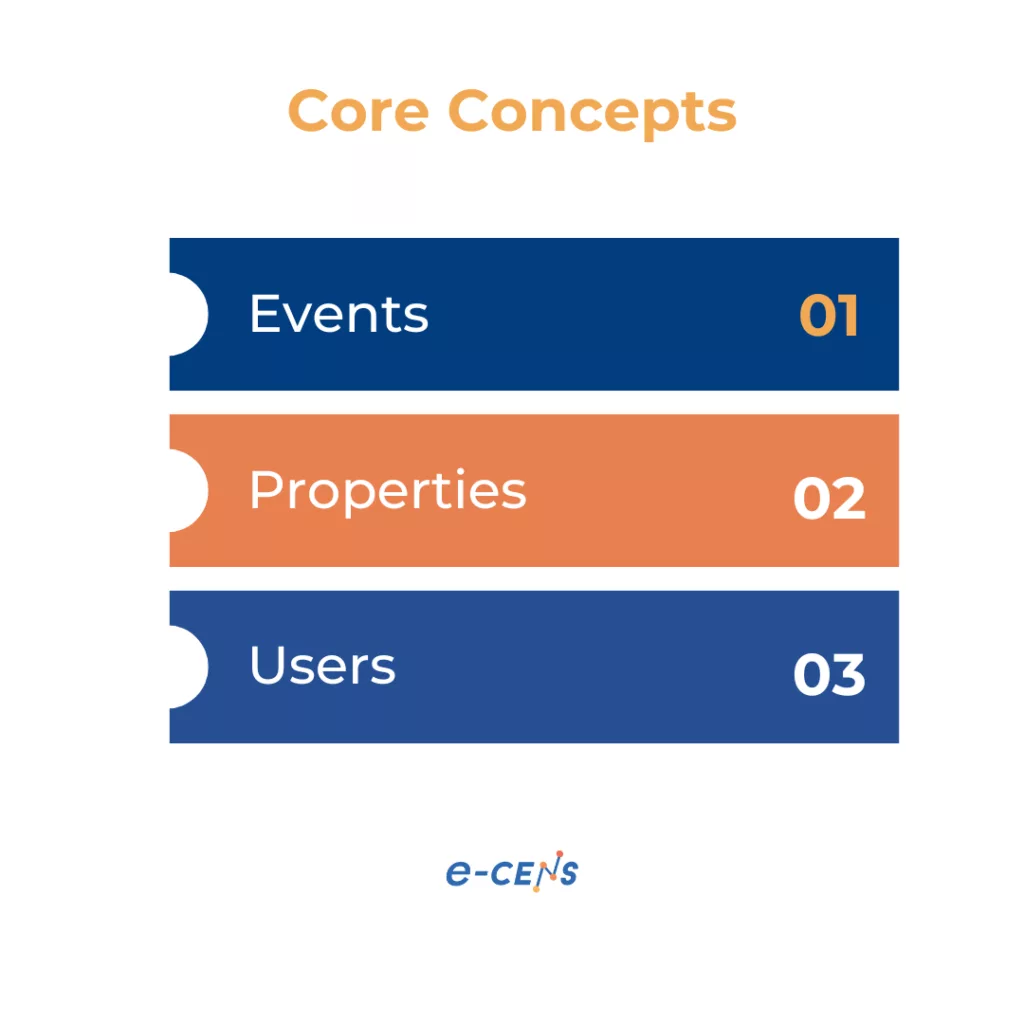
Before we delve into Amplitude’s specific features, it’s essential to understand the foundational concepts that underpin its analytics capabilities: events, properties, and users.
These three elements are the building blocks of understanding user behavior within your product.
- Events: Events represent specific actions that users take within your product. These can be anything from clicking a button, watching a video, completing a purchase, or using a specific feature. Tracking events is the core of understanding what users are doing. Events should be named in a way that clearly describes the action. For example, “Added to Cart,” “Completed Checkout,” “Watched Tutorial Video,” or “Used Search Feature.”
- Event Properties: Properties provide context to events. They describe the details of a specific event, adding valuable information that helps you understand the how and why behind user actions. For the “Added to Cart” event, properties might include “Product Name,” “Product ID,” “Price,” “Category,” and “Quantity.” Properties can be strings (text), numbers, booleans (true/false), or dates.
- User Properties: User properties describe the characteristics of your users. These properties are attached to individual users, rather than specific events. Examples include “User ID,” “Plan Type,” “Account Creation Date,” “Country,” and “Device Type.” User properties allow you to segment your users and understand how different groups of users behave.
- Users: Amplitude allows you to track individual users across different devices and sessions, providing a holistic view of their behavior over time. This is crucial for understanding user journeys, identifying loyal customers, and measuring retention.
Best Practice: To ensure accurate cross-platform tracking and avoid duplicate user counts, it’s crucial to use the setUserId() method consistently. When a user logs in or otherwise identifies themselves, assign their unique, stable identifier (like a database ID, not something that might change, like an email address).
Conversely, when they log out, it’s critical to call setUserId(null) followed immediately by regenerateDeviceId(). This correctly handles the transition from an identified user to an anonymous one, preventing subsequent anonymous actions from being mistakenly attributed to the logged-out user and ensuring data integrity for both identified and anonymous user behavior analysis over time.
By combining events, event properties, and user properties, you can create a rich dataset that provides a deep understanding of how users are interacting with your product.
2. Core Features: Charts, Funnels, Retention, and More
Amplitude offers a robust suite of features designed to help you analyze and visualize your data, uncovering valuable insights about user behavior.
Let’s explore some of the key features:
- Charts: Amplitude provides a wide variety of chart types to visualize your data, including line charts, bar charts, pie charts, and more. These charts allow you to:
- Track Key Metrics: Monitor important metrics over time, such as user engagement, conversion rates, and retention.
- Compare Segments: Analyze the behavior of different user groups side-by-side.
- Identify Trends: Spot patterns and trends in your data that might not be obvious otherwise.
Simple charts can be set up in seconds, with custom views and dashboards being just as easy.
- Funnels: Funnels allow you to analyze multi-step processes within your product, such as the signup process, the checkout process, or the onboarding flow. This helps you:
- Identify Drop-Off Points: See where users are abandoning the process and identify areas for improvement.
- Optimize Conversion Rates: Make changes to your product to improve conversion rates at each step of the funnel.
- Understand User Journeys: Visualize how users are navigating through your product.
- Retention Analysis: Amplitude’s retention analysis features allow you to track how many users are returning to your product over time. This is a critical metric for understanding the long-term health of your product. You can:
- Measure User Retention: See what percentage of users are returning to your product after a specific period (e.g., daily, weekly, monthly).
- Identify Churn Patterns: Understand when and why users are churning.
- Improve User Retention: Make changes to your product or marketing efforts to improve user retention.
- User Paths (Journeys): This feature allows you to visualize the different paths that users take through your product. It helps you:
- Understand User Behavior: See how users are navigating your product and identify common pathways.
- Identify Unexpected Behavior: Spot unusual patterns or deviations from the intended user flow.
- Optimize User Flows: Make changes to you product to guide users towards desired outcomes.
- User Profiles: Amplitude creates individual user profiles, bringing together all the events, properties, and sessions associated with a particular user. This provides a holistic view of each user’s interactions with your product.
- Dashboards: Dashboards allow you to create custom collections of charts and reports, providing a centralized view of your key metrics. This is particularly useful for:
- Monitoring Performance: Track your key performance indicators (KPIs) in real-time.
- Sharing Insights: Share data and insights with your team.
- Customizing Views: Tailor your dashboards to your specific needs.
- Notebooks: Notebooks combine charts alongside text, images and code providing the ability to communicate and present data.
These are just a few of the core features that Amplitude offers. The platform is highly flexible and customizable, allowing you to tailor your analysis to your specific needs.
3. Implementation: Getting Started with Amplitude Analytics – Simplicity and Power
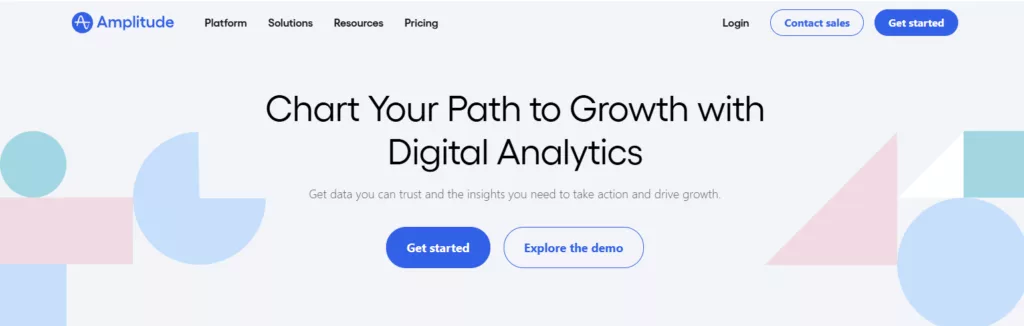
One of the most appealing aspects of Amplitude is its balance between a straightforward initial setup and the powerful customization options available for advanced users.
You don’t need to be a data scientist to start gathering valuable insights, but the platform also provides the flexibility to tailor data collection and analysis to your specific needs as your product and team grow.
The Quick Start: One Line of Code
For basic web analytics, Amplitude offers an incredibly simple implementation process. Often, it can be as easy as adding a single line of JavaScript code to your website’s header.
This “snippet” automatically starts tracking fundamental user interactions, such as page views, sessions, and basic user identification. This rapid deployment allows you to begin collecting data almost immediately, providing a foundational understanding of user behavior without any complex configuration.
This is particularly beneficial for teams that want to quickly see the value of product analytics before committing to a more in-depth implementation.
Beyond the Basics: Customization and Control
While the single-line-of-code approach provides a great starting point, the true power of Amplitude lies in its customization capabilities.
As you become more familiar with the platform and your data needs evolve, you can move beyond basic tracking to implement a highly tailored data collection strategy.
This includes:
- Custom Event Tracking: As discussed in the previous section, custom events are the cornerstone of understanding specific user interactions within your product. You can define and implement custom events using Amplitude’s SDKs (Software Development Kits) for various platforms (web, iOS, Android, etc.). These SDKs provide the tools to track virtually any user action and associate it with relevant properties. This requires some developer involvement, but the granular data it provides is essential for in-depth product analysis.
- User Identification: Amplitude allows you to accurately identify and track individual users across different devices and sessions. This is crucial for building a complete picture of user behavior over time. You can use Amplitude’s setUserId method to associate user actions with unique identifiers, ensuring data accuracy and enabling personalized analysis.
- Data Enrichment with Properties: As mentioned earlier, event properties and user properties provide crucial context to your data. You can customize these properties to capture the specific information that’s most relevant to your business. For example, an e-commerce company might track properties like “Product ID,” “Price,” “Category,” and “Discount Code” for a “Purchase” event.
- Integrations: Amplitude’s extensive integration capabilities (discussed in more detail later) allow you to connect your data with other tools in your tech stack. This includes data sources (e.g., your CRM, marketing automation platform) and data destinations (e.g., advertising platforms, data warehouses). These integrations streamline your data workflows and enable you to activate your insights across your organization.
- Server-Side Tracking: In addition to client-side tracking (using the JavaScript snippet or SDKs), Amplitude also supports server-side tracking. This is particularly useful for tracking events that occur outside of the user’s direct interaction with your website or app, such as subscription renewals or backend processes.
A Phased Approach: Start Small, Scale Up
The beauty of Amplitude’s implementation is that it allows for a phased approach. You can start with the basic setup to get a quick overview of user behavior, and then gradually add more custom events, properties, and integrations as your needs and expertise grow.
This iterative approach makes Amplitude accessible to teams of all sizes and technical capabilities. Our team can also help with the implementation, and fine-tuning to your business needs.
In the next section, we will begin to analyze the insights we can collect now that Amplitude is implemented.
4. Insights: Unveiling the “Why” Behind User Actions
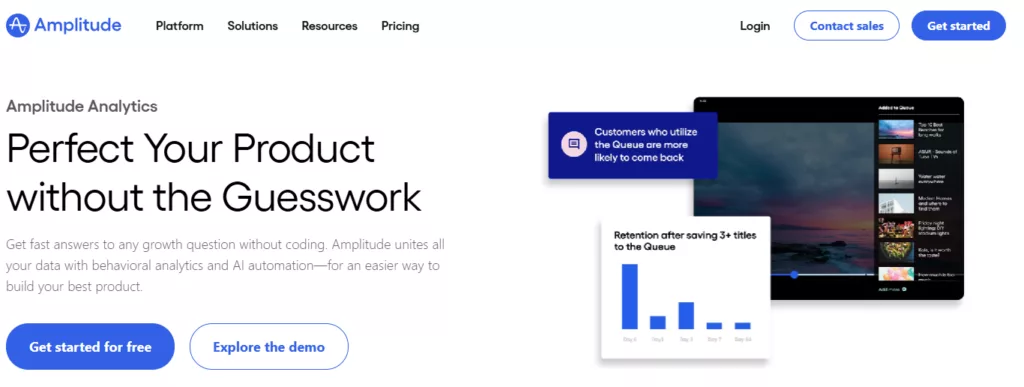
With Amplitude implemented, you’re no longer just collecting data; you’re gathering insights. This is where the platform truly differentiates itself from traditional web analytics tools. Amplitude doesn’t just tell you what users are doing; it helps you understand why they’re doing it, empowering you to make data-driven decisions that improve your product and user experience.
From Data Points to Meaningful Stories
Think of each event you track as a single data point. Alone, it might not tell you much. But when you combine these data points, analyze them in context, and visualize them using Amplitude’s powerful tools, they begin to tell a story.
This story reveals how users are interacting with your product, where they’re finding success, and where they’re encountering obstacles.
Product Analytics: Deep Dive into User Behavior
Amplitude’s core strength lies in its product analytics capabilities.
It allows you to answer critical questions about how users are engaging with your product’s features:
- Feature Adoption: Are users discovering and using new features? Which features are most popular? Are there any features that are being ignored or underutilized?
- User Flows: What paths do users take through your product? Are they following the intended workflows? Where are they getting stuck or dropping off?
- Engagement Metrics: How frequently are users returning to your product? How long are they spending in each session? What actions are they taking that indicate engagement?
- Troubleshooting: Identifying bugs that are impacting a subset of users.
- Impact Analysis: A core strength of Amplitude is the ability to understand not just that metrics changed, but what user behaviour is driving the change. For instance, you have a conversion drop, and Impact analysis can link the drop to a specific onboarding. Allowing for quick resolution of issues and improving aspects of the product.
- Impact Analysis: This is a key differentiator for Amplitude compared to platforms like GA4. When a core metric changes (e.g., conversion rate drops or activation increases), Impact Analysis helps you quickly diagnose the why. It automatically surfaces the specific user behaviors (events or properties) or user segments that are most correlated with the change. For instance, if conversion drops, Impact Analysis might reveal that users encountering a new error message or skipping a particular onboarding step are the primary drivers, allowing for rapid troubleshooting and resolution.
By answering these questions, you can identify areas for improvement, optimize user flows, and prioritize feature development based on real user behavior.
Web Analytics and a Holistic View
While Amplitude is primarily a Product Analysis platform, it goes beyond this limitation and provides deeper insights across the user journey.
- Acquisition Insights: Just like a traditional web analytics platform Amplitude allows you to track the performance of your marketing channels—know not just the number of new users but their quality based on subsequent engagement and conversion.
- Behavioral Flow: See aggregated user paths across pages and screens, understanding not only how users navigate but what content or features lead to desired outcomes (or roadblocks).
- Conversion Funnels: Analyze multi-step processes (like signup or checkout) common to both web and app experiences, identifying drop-off points for improvement.
Segmentation and Cohorts: Uncovering Hidden Patterns
The ability to segment users and create cohorts is crucial for uncovering hidden patterns and understanding the nuances of user behavior. For instance, You receive a wide variety of users from new, returning, geographic location, etc.
By segmenting your users, you can:
- Compare the behavior of different user groups: Are new users behaving differently than experienced users? Are users from a specific marketing campaign more engaged?
- Identify high-value users: Who are your most engaged and valuable users? What characteristics do they share?
- Personalize the user experience: Tailor content, messaging, and features to specific user segments.
Cohort analysis adds a time dimension to this, allowing you to track the behavior of groups of users over time. This is particularly useful for:
- Measuring the impact of product changes: Did a recent update improve retention for new users?
- Identifying long-term trends: Are users who signed up during a specific promotional period more likely to churn?
- Understanding user lifecycle: How does user behavior evolve over time?
Session Replay: Seeing Through Your Users’ Eyes
While quantitative data provides valuable insights into what users are doing, qualitative data helps you understand why.
Amplitude’s Session Replay feature allows you to see exactly how individual users are interacting with your website or app. It’s like looking over their shoulder as they navigate your product.
Session Replay can help you:
- Identify usability issues: Spot confusing navigation, broken links, or frustrating interactions.
- Understand user frustration: See where users are getting stuck, rage-clicking, or abandoning their sessions.
- Validate your assumptions: Confirm (or disprove) your hypotheses about how users are interacting with your product.
Importantly, Amplitude prioritizes user privacy. Features like text field masking and integrations with the Amplitude User Privacy API ensure that sensitive data is protected while still providing valuable qualitative insights.
AI-Powered Insights: Accelerating Discovery
Amplitude leverages the power of artificial intelligence (AI) to help you surface insights faster and more efficiently.
- Ask Amplitude: Use natural language queries to quickly find answers to your questions. Instead of building complex charts, you can simply ask, “What is the conversion rate for users who signed up last week?”
- Data Assistant: Automate data cleanup, enrichment, and governance tasks. This ensures data quality and consistency, saving you time and effort.
- Anomaly Detection: Get alerted to unexpected changes in your key metrics. Amplitude automatically monitors your data and notifies you of any significant deviations from the norm, allowing you to quickly identify and address potential issues. This includes root cause analysis to quickly respond to problems.
- Automated Predictions and Recommendations: Amplitude can predict future user behavior and provide recommendations for optimizing your product. For example, it might identify users who are at risk of churning or suggest features that are likely to increase engagement.
By combining quantitative data, qualitative insights, and AI-powered analysis, Amplitude provides a comprehensive understanding of user behavior, empowering you to make data-driven decisions that drive product growth. The next Section will focus on taking action based on these insights.
5. Action: Turning Insights into Results
Gathering insights is valuable, but the true power of Amplitude lies in its ability to inform action. It’s not just about understanding user behavior; it’s about using that understanding to improve your product, optimize your marketing efforts, and ultimately drive business outcomes. Amplitude provides several mechanisms for turning insights into tangible results.
Data Activation: Fueling Personalization and Optimization
Amplitude doesn’t just passively display data; it allows you to activate it.
This means you can use the insights you’ve gained to directly influence the user experience and marketing campaigns.
- Personalization: One of the most powerful applications of data activation is personalization. By understanding user behavior and segmenting your users, you can tailor the user experience to individual needs and preferences. This could involve:
- Personalized Content: Displaying different content to different user segments based on their interests, past behavior, or demographics.
- Personalized Messaging: Sending targeted emails, push notifications, or in-app messages based on user actions and preferences.
- Personalized Features: Showing or hiding specific features based on user needs and engagement patterns. For example, you might offer a tutorial to new users but hide it from experienced users.
- UX Optimization: Amplitude’s insights can directly inform UX improvements. By identifying points of friction, confusion, or abandonment, you can make targeted changes to your product’s design and functionality. This could involve:
- Simplifying Navigation: Making it easier for users to find what they’re looking for.
- Improving Form Design: Reducing friction in forms to increase completion rates.
- Optimizing Onboarding Flows: Guiding new users through the key features of your product to increase activation.
- Data Activation to Downstream Destinations
- Amplitude’s integration goes beyond other analytics tools. Data can be activated for a unifed experience.
Experimentation: Data-Driven Iteration
Amplitude provides robust features for experimentation, allowing you to test different variations of your product and measure their impact on user behavior. This data-driven approach is crucial for continuous improvement and innovation.
- Feature Experimentation (A/B Testing): Amplitude facilitates self-service A/B testing, allowing you to test different versions of features, messaging, or designs with specific user segments. This allows for:
- Targeted Experiments: Run experiments with specific user cohorts to understand how different groups respond to changes.
- Controlled Rollouts: Gradually release new features to a percentage of your users, monitoring their performance before a full launch.
- Data-Driven Decisions: Make informed decisions about which variations to implement based on statistically significant results.
- Web Experimentation (No-Code): For website optimization, Amplitude offers a visual experiment editor that allows you to launch A/B tests without writing any code. This empowers non-technical teams (e.g., marketing, design) to run experiments and iterate quickly. You can easily:
- Modify Website Elements: Change text, images, buttons, and other elements on your website.
- Test Different Layouts: Experiment with different page layouts and designs.
- Measure the Impact: Track key metrics to see which variations perform best.
- Feature Management
- Amplitude allows for the shipping of product updates, and fine tuning control of the percentage of users receive new or legacy features or UX elements.
Guides and Surveys: Proactive User Support and Feedback
Amplitude also provides tools for proactive communication with users, guides and surveys.
Guides can be used in a number of formats.
- Tours: Guiding users on certain features.
- Checklists: Helping a user keep track of their progress.
- Announcements: Informing users of changes or new features.
All these functions would aim to help the user have a better experience. These will allow refining your UX to help drive engagement.
Amplitude also allows surveys to see where users are being served well and where there is opportunity for improvement.
A Continuous Improvement Cycle
The combination of insights, activation, and experimentation creates a powerful cycle of continuous improvement:
- Gather Insights: Use Amplitude’s analytics features to understand user behavior.
- Identify Opportunities: Pinpoint areas for improvement based on the insights you’ve gained.
- Take Action: Implement changes based on your findings (e.g., personalize the user experience, optimize a workflow, launch an experiment).
- Measure Results: Use Amplitude to track the impact of your changes.
- Iterate: Refine your approach based on the results, and repeat the cycle.
This iterative process, fueled by Amplitude’s data and capabilities, allows you to continuously optimize your product and drive growth. We will now delve into a more in-depth look into Amplitude’s data capabilities.
6. Data: Powering Amplitude with Your Data Ecosystem
Amplitude isn’t just a tool for analyzing data; it’s a platform designed to integrate seamlessly with your existing data ecosystem.
This means you can leverage all your valuable customer, financial, and behavioral data to gain a complete and unified view of your users, and then use that enriched data to power more effective analysis and action within Amplitude.
Warehouse-Native Amplitude: Unifying Your Data Sources
Traditionally, integrating data from different sources into an analytics platform could be a complex and time-consuming process.
Amplitude’s warehouse-native approach simplifies this significantly, particularly for companies using Snowflake as their data warehouse.
- Direct Access to Snowflake: Warehouse-native Amplitude allows you to access and analyze data directly from your Snowflake data warehouse without needing to copy or move the data. This eliminates data silos and ensures that you’re always working with the most up-to-date information.
- Seamless Integration: The integration is designed to be seamless, making it easy to connect Amplitude to your Snowflake instance and start querying data.
- Unified View of Your Users: By combining data from Snowflake (e.g., customer demographics, purchase history, financial data) with Amplitude’s behavioral data, you gain a truly holistic understanding of your users. This allows for more powerful segmentation, more accurate analysis, and more effective personalization.
- Reduced ETL: Eliminate the need for complex ETL (Extract, Transform, Load) processes to get data into Amplitude.
- Support for Other Warehouses: While Snowflake is a primary focus, Amplitude is expanding its warehouse-native capabilities to support other popular data warehouses like Databricks.
Data Governance: Ensuring Data Quality and Security
With data now a core business asset, robust data governance is no longer optional – it’s a necessity.
Amplitude provides robust features to ensure that you’re collecting, processing, and using data in a responsible and compliant manner.
- Centralized Data Management: Amplitude helps you centralize your data from various sources, creating a single source of truth for your analytics.
- Upstream and Downstream Integrations: Amplitude connects to both upstream data sources (e.g., your CRM, marketing automation platform, data warehouse) and downstream data destinations (e.g., advertising platforms, personalization engines). This ensures that data flows seamlessly throughout your organization.
- Data Access Controls: You can manage user permissions within Amplitude, controlling who can access what data. This is crucial for maintaining data security and privacy. Granular controls allow you to define roles and permissions based on job function and data sensitivity.
- Data Mutability (Data Syncing): Amplitude’s Data Mutability feature ensures that data remains synchronized between Amplitude and your data warehouse (Snowflake or Databricks). This means that if data is changed or updated in your warehouse, those changes are automatically reflected in Amplitude, maintaining data consistency.
- Data Transformation: Transform your data within Amplitude to prepare it for analysis. Clean, shape, and enrich your data to ensure accuracy and consistency.
- Data Lineage: Automatically visualize the flow of your data. Track data from source to destination and understand dependencies.
Benefits of Strong Data Governance
- Improved Data Quality: Ensure that you’re working with accurate, consistent, and reliable data.
- Enhanced Data Security: Protect sensitive data and comply with privacy regulations.
- Increased Efficiency: Streamline data workflows and reduce manual data management tasks.
- Better Decision-Making: Make more informed decisions based on trustworthy data.
By providing both warehouse-native capabilities and robust data governance features, Amplitude empowers you to leverage your entire data ecosystem to drive better product decisions. We will now delve into the important topic of security and privacy.
7. Security & Privacy: Building Trust with Your Users
In today’s digital landscape, data security and user privacy are paramount. Amplitude recognizes this and has built its platform with a strong commitment to protecting user data and complying with global privacy regulations. This commitment is not just about meeting legal requirements; it’s about building trust with your users and demonstrating that you value their privacy.
A Proactive Approach to Security
Amplitude employs a multi-layered approach to security, protecting data at every stage of its lifecycle.
This includes:
- Data Encryption: Data is encrypted both in transit (using TLS/SSL) and at rest (using industry-standard encryption algorithms). This protects data from unauthorized access, even in the event of a security breach.
- Secure Infrastructure: Amplitude’s infrastructure is hosted on secure, industry-leading cloud providers (like AWS) that meet rigorous security standards.
- Regular Security Audits: Amplitude undergoes regular security audits and penetration testing to identify and address potential vulnerabilities.
- Access Controls: As mentioned in the previous section, Amplitude provides granular access controls to manage user permissions and ensure that only authorized personnel can access sensitive data.
- VPC Deployment: Deploy Amplitude in your own Virtual Private Cloud (VPC) for enhanced security and control.
- SOC 2 Compliance: Amplitude is SOC 2 compliant, demonstrating its commitment to security, availability, processing integrity, confidentiality, and privacy.
Empowering Users with Data Control
Amplitude provides features that empower users to control their own data, fostering transparency and trust.
- Self-Serve Data Deletion: Users have the right to request the deletion of their data, and Amplitude provides mechanisms for fulfilling these requests.
- Event Retention Controls: You can configure data retention policies within Amplitude, specifying how long data is stored and automatically deleting data that is no longer needed. This helps you comply with data retention regulations and minimize your data footprint.
- Data Subject Rights (DSR) Management: Easily process user requests related to their data rights.
Protecting Personally Identifiable Information (PII)
Amplitude provides tools and features to help you protect personally identifiable information (PII) and comply with privacy regulations.
- PII Controls: You can configure Amplitude to automatically detect and mask PII, such as email addresses, phone numbers, and IP addresses.
- IP Address Governance: You have control over how IP addresses are collected and used within Amplitude. You can choose to anonymize IP addresses or disable their collection altogether.
- Data Minimization: Only collect the data you need to achieve your analytics goals. Avoid collecting unnecessary PII.
Compliance with Global Privacy Regulations
Amplitude is designed to help you comply with key global privacy regulations, including:
- GDPR (General Data Protection Regulation): Amplitude provides features and documentation to help you meet the requirements of the GDPR, including data subject rights, data portability, and data minimization.
- CCPA/CPRA (California Consumer Privacy Act / California Privacy Rights Act): Amplitude supports compliance with the CCPA/CPRA, providing mechanisms for handling consumer data requests and opt-outs.
- Consent Management Platform (CMP) Integrations: Integrate with leading CMPs to manage user consent and preferences.
By prioritizing security and privacy, Amplitude helps you build trust with your users, comply with regulations, and create a sustainable, data-driven approach to product development. The next section will focus on the final feature set, integrations.
8. Integrations: Connecting Amplitude to Your Tech Stack
Amplitude isn’t meant to operate in isolation. Its value is amplified when it’s connected to the other tools and platforms you use to manage your business.
Amplitude boasts a vast and growing ecosystem of over 140 integrations, plus the ability to build custom integrations, ensuring that it can seamlessly fit into your existing tech stack.
This interconnectivity streamlines data workflows, eliminates data silos, and empowers you to activate your insights across your entire organization.
Upstream and Downstream: A Complete Data Flow
Amplitude’s integrations are categorized as either upstream or downstream:
- Upstream Integrations (Data Sources): These integrations allow you to import data from other platforms into Amplitude. This enriches your Amplitude data with valuable context, providing a more complete view of your users. Examples include:
- Customer Relationship Management (CRM) Systems: Integrate with platforms like Salesforce, HubSpot, or Zoho CRM to import customer data, such as demographics, purchase history, and support interactions.
- Marketing Automation Platforms: Connect with tools like Marketo, Braze, or Iterable to import data on marketing campaign performance, email engagement, and user segmentation.
- Data Warehouses: As discussed earlier, Amplitude offers warehouse-native integrations with platforms like Snowflake and Databricks, allowing you to directly access and analyze data from your data warehouse.
- Mobile Measurement Partners (MMPs): Integrate with platforms like Adjust or AppsFlyer to import mobile attribution data, providing insights into the effectiveness of your mobile marketing campaigns.
- Customer Data Platforms (CDPs): Stream data from CDPs like Segment, RudderStack or Tealium.
- Downstream Integrations (Data Destinations): These integrations allow you to send data from Amplitude to other platforms. This enables you to activate your insights, triggering actions in other tools based on user behavior tracked in Amplitude. Examples include:
- Advertising Platforms: Send data to platforms like Google Ads, Facebook Ads, or TikTok Ads to create custom audiences for targeted advertising campaigns.
- Marketing Automation Platforms: Trigger personalized emails, push notifications, or in-app messages based on user behavior in Amplitude.
- A/B Testing Platforms: Integrate with tools like Optimizely or VWO to connect Amplitude’s user segmentation with your A/B testing experiments.
- Customer Support Platforms: Send data to platforms like Zendesk or Intercom to provide customer support agents with valuable context about user behavior.
- Data Warehouses: Export Amplitude data to your data warehouse for further analysis and reporting.
- Productivity: Slack.
Key Benefits of Integrations:
- Unified Data View: Break down data silos and create a single source of truth for user data.
- Enhanced Insights: Gain a more complete understanding of your users by combining data from multiple sources.
- Data Activation: Trigger actions in other tools based on user behavior in Amplitude, enabling personalized experiences and targeted marketing campaigns.
- Streamlined Workflows: Automate data transfer between Amplitude and other platforms, saving time and reducing manual effort.
- Improved Collaboration: Share data and insights across different teams within your organization.
Custom Integrations: Building Your Own Connections
In addition to its pre-built integrations, Amplitude provides the flexibility to build custom integrations using its API (Application Programming Interface). This allows you to connect Amplitude to virtually any platform, even if a pre-built integration doesn’t exist. This is particularly valuable for companies with proprietary systems or niche tools.
Amplitude’s extensive integration capabilities, combined with its powerful analytics features, make it a central hub for understanding and acting on user behavior. The concluding section will provide a recap and call to action.
9. Conclusion: Unleash the Power of Product-Led Growth with Amplitude
Throughout this deep dive, we’ve explored the multifaceted capabilities of Amplitude, demonstrating how it goes beyond traditional web analytics to provide a comprehensive understanding of user behavior within your digital product. We’ve seen how Amplitude empowers you to move beyond vanity metrics and focus on actionable insights that drive product-led growth.
Recap of Key Benefits:
- Deep User Understanding: Amplitude allows you to understand what your users are doing, how they’re doing it, and most importantly, why.
- Actionable Insights: Identify friction points, optimize user flows, and personalize the user experience based on real user behavior.
- Data-Driven Decision-Making: Make informed decisions about product development, marketing campaigns, and business strategy, based on solid data.
- Experimentation and Iteration: Continuously improve your product through A/B testing and data-driven iteration.
- Seamless Integration: Connect Amplitude to your existing tech stack, creating a unified data ecosystem.
- Robust Data Governance: Ensure data quality, security, and compliance with global privacy regulations.
- Product and Web Insights: Provides a full picture from acquisition to engagement.
Amplitude: The Foundation for Product-Led Growth
To thrive in the hyper-competitive digital market, product-led growth is no longer a luxury, but a necessity. This approach emphasizes building a product that is so compelling and user-friendly that it drives its own adoption and growth. Amplitude is the perfect tool to support this strategy, providing the deep user understanding and data-driven insights needed to build a truly exceptional product.
Partnering for Success
As we mentioned in the introduction, e-CENS is proud to partner with Amplitude. We recognize the transformative power of this platform and are committed to helping our clients unlock their full potential. Our team has the expertise to assist you with:
- Implementation and Customization: Setting up Amplitude, defining custom events, and tailoring the platform to your specific needs, whether it’s a basic setup or a complex, highly customized implementation.
- Data Strategy and Analysis: Developing a comprehensive data strategy, interpreting insights, and making data-driven recommendations.
- Integration Support: Connecting Amplitude to your other tools and platforms, ensuring a seamless data flow.
- Training and Support: Providing ongoing training and support to your team, empowering them to use Amplitude effectively.
Call to Action:
Ready to unleash the power of product analytics and take your product to the next level? We encourage you to:
- Explore the Amplitude Website: Learn more about Amplitude’s features and pricing.
- Request a Demo: See Amplitude in action and discover how it can benefit your business.
- Contact Us: Get in touch with our team to discuss your specific needs and how we can help you implement and optimize Amplitude.
Don’t let vanity metrics hold you back. Embrace the power of product analytics with Amplitude and start building a product that your users love.